

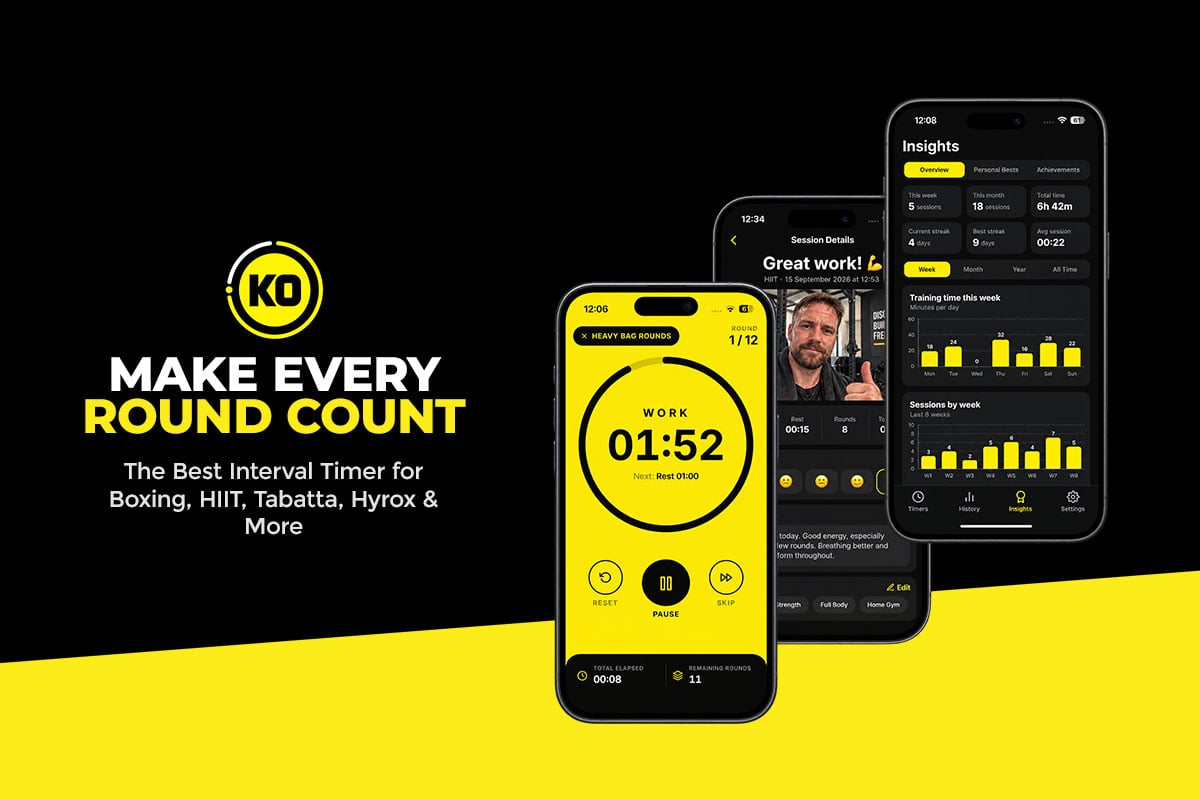
Most interval timers do one thing: count down your work and tell you when to rest. KO Interval Timer goes much further. It’s a powerful fitness timer for boxing, HIIT, circuit training and more, and it adds voice coaching, achievement badges and a personal workout journal on top.
Built for iPhone, it suits anyone who trains in rounds or timed intervals. Whether you’re hitting a heavy bag, running a HIIT session, lifting weights or stretching, you get full control over your workout.
What really sets it apart is what happens during and after each session. A voice coach keeps you pushing, badges reward your milestones, and a post-workout selfie lands in your training journal. Here’s why it’s one of the most complete timer apps you can download from the App Store.
A Workout Journal That Records Every Session
The built-in journal is arguably the app’s biggest strength. Most timers forget your session the moment the countdown ends. KO Interval Timer helps you build a lasting record of your training.
After each workout, you can save an entry with written notes, tags, a difficulty rating, and how you felt before and after training. You can also log your bodyweight to follow changes over time.
Those details reveal patterns. You might notice that a workout that crushed you a month ago now feels easy, or that certain sessions leave you more energized than others.
Snap a Post-Workout Selfie
You can also take a selfie after each session and save it to your journal. It sounds small, but it makes your history far more personal. Instead of only dates and numbers, you see real photos of yourself after every workout.
Over weeks and months, those photos become a visual record of your fitness journey. That’s powerful motivation if you’re working toward weight loss, muscle gain or better fitness. Together, selfies, notes and workout data turn the journal into a true fitness diary.
Voice Coaching That Keeps You Going
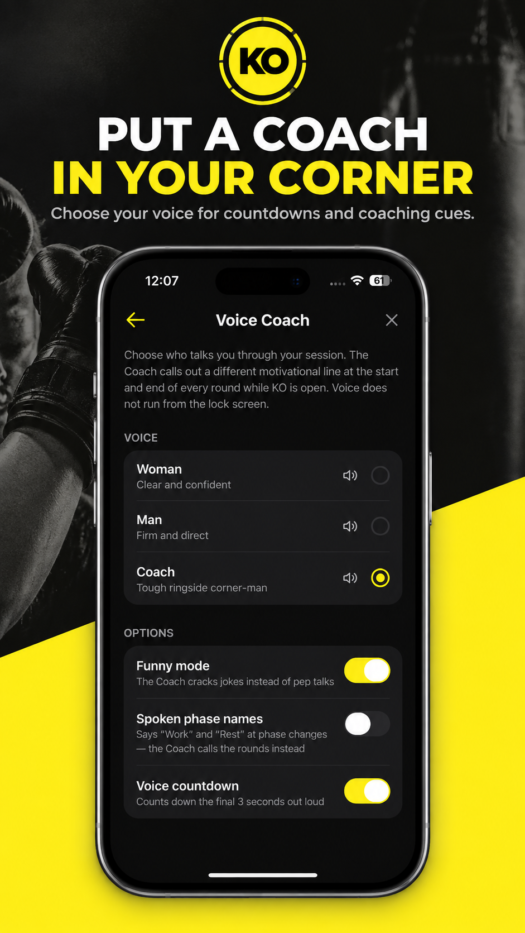
Instead of only beeps between rounds, KO Interval Timer can put a coach in your ear. When you’re tired and thinking about stopping, a little encouragement can carry you through another round. There are three voices to choose from:
- Male Coach: a motivational voice that keeps you focused and pushing.
- Female Coach: an alternative voice for guidance and encouragement.
- Boxing Coach: a high-energy, boxing-style coach with plenty of personality, ideal for heavy bag work, shadowboxing and other combat sports.
Funny Mode Brings the Laughs
The Boxing Coach also has an optional Funny Mode that delivers humorous motivational comments between rounds. Picture finishing a brutal round on the bag and hearing your coach crack a joke before telling you to get ready for the next one.
Most workout timers are very serious. Funny Mode is a clever reminder that fitness can be fun, and it keeps repeated workouts from feeling dull. Prefer plain sounds and countdowns? Voice coaching is fully optional, so you can switch it off anytime.
Build Custom Workout Timers in Seconds
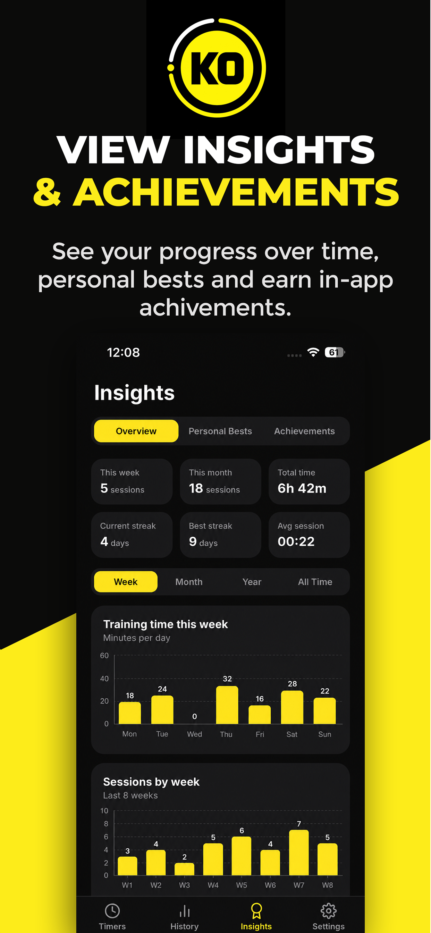
Of course, great extras only matter if the timer itself is excellent, and this one is. The flexible workout builder lets you create timers that match your exact training needs instead of forcing you into fixed presets.
You set your work periods, rest times, number of rounds and preparation countdown, and you can give each phase a custom name. A boxer might build five three-minute rounds with one-minute breaks. A HIIT fan could choose 30 seconds of work followed by 15 seconds of rest. It handles long training sessions just as well as quick workouts at home.
Save any timer to your personal library and your favorite workouts are always one tap away. You can also duplicate a timer and tweak it, which is perfect for adding rounds, trimming rest or building a tougher version of a routine.
Achievement Badges, Stats and Streaks
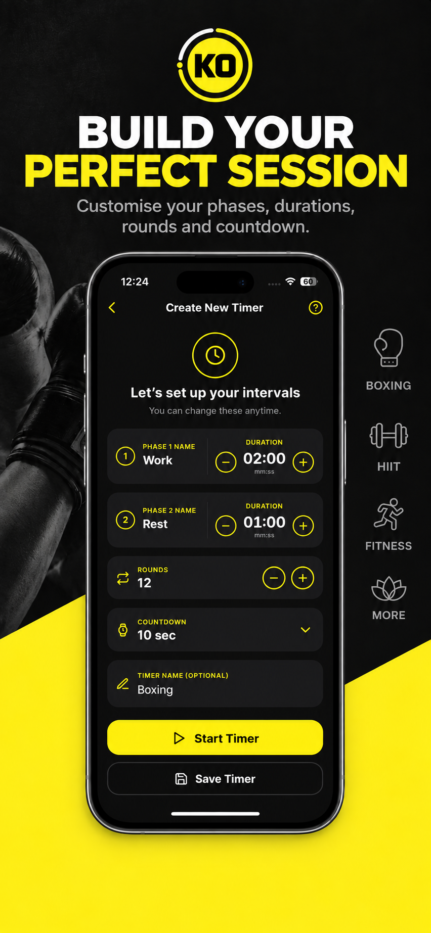
KO Interval Timer adds a fun, game-like layer to fitness with achievement badges for your training milestones. Rather than just counting minutes, you have goals to chase and rewards to collect. Each badge brings a small sense of accomplishment and one more reason to keep showing up.
The app also keeps a full history of your completed sessions. You can see your total training time, rounds completed and workout activity, plus training streaks that encourage consistency. Over time, these records show how often you train, whether you’re completing more rounds, and how your routine is evolving.
You can revisit past journal entries to reread your notes and view your post-workout photos. For anyone building a regular fitness habit, having all of this in one place is a major benefit.
Clear Alerts, a Clean Interface and Quick Starts
A good interval timer has to be easy to follow when you’re working hard, and KO Interval Timer nails this. You can pick your preferred timer sounds and customize alerts for the start of a session, each phase change and the end of a workout. Spoken countdowns mean you never need to glance at your phone mid-round, and optional vibration and visual signals help in busy gyms and home setups alike.
The modern design keeps the countdown big and easy to read. You can personalize the accent color, sounds and coaching voice, and a keep-screen-awake option lets you see the timer without unlocking your phone.
Starting a workout is quick, too. Home screen widgets give instant access to saved timers and can show training summaries. Siri Shortcuts let you launch a workout by voice, which is handy when your gloves are already on. You can see more of the app in action on the KO App Studio website.
Great for Boxing, HIIT and Much More
KO Interval Timer has a strong boxing focus, but its custom builder makes it useful for almost any timed training:
- Boxing and kickboxing: round lengths, rest and prep time for heavy bag work, shadowboxing, pads and sparring.
- HIIT: short bursts of high-intensity work followed by recovery.
- Circuit training: timed work and rest phases as you move between exercises.
- Tabata: fast-paced sessions with short exercise and recovery intervals.
- Strength and conditioning: timed sets, rest periods and conditioning rounds.
- Stretching and mobility: longer intervals for stretches, recovery and flexibility work.
Personal trainers will appreciate it too, since saved timers make it easy to run repeatable sessions for clients and switch between training styles.
Privacy, Pricing and Availability
Privacy is a real advantage here. Your journal, notes and photos are stored locally on your iPhone, not uploaded to the developer’s servers, and you don’t need an account to use the app. That’s especially welcome if you’d rather keep workout selfies and bodyweight data off an online fitness profile.
One thing to keep in mind: there’s currently no cloud backup or syncing between devices. If you change phones or delete the app, don’t assume your journal entries will be restored.
KO Interval Timer is free to download on the App Store and requires iOS 16.4 or later. An active subscription unlocks the timer and other premium features, with monthly and annual options and pricing shown before you subscribe.
The app is designed to run while it’s open during your workout, as it doesn’t currently offer background or lock-screen alerts. With the keep-screen-awake option and your phone in view, that’s easy to work around for most people.
Final Verdict: Is KO Interval Timer the Best Timer Available?
For boxers, HIIT fans and anyone who loves tracking their progress, KO Interval Timer is one of the best interval timers you can get. It covers the basics brilliantly, with customizable rounds, rest periods, countdowns, sounds and saved workouts.
The extras are what make it special. Male, female and boxing voice coaches bring energy to every session, and Funny Mode adds a welcome dose of personality. Badges, stats and streaks keep you motivated, while the journal and post-workout selfies capture the effort behind every workout and turn single sessions into a record of your fitness journey.
The subscription and lack of background alerts are worth knowing about, but the depth of features makes it easy to recommend. If you want a timer that does more than count down the seconds, get KO Interval Timer on the App Store or learn more at KO App Studio.